Studio notes · Clipwell
Changelog
Dated studio notes are distinct from package releases and current setup requirements.
-
· changed / fixed
Flagged clipboard items and MCP reads
This dated source update narrows what Clipwell’s MCP tools can read. Recent items and search omit a flagged row, including an alias match; direct text reads refuse it. The local REST view remains available to trusted picker clients so the item can still be managed. This does not secure every local API caller or an unflagged item.
Source-run web-picker study · 2026-09-25
These paired captures come from the actual browser-served
/appweb picker and .NET daemon, using seven fictional rows in an isolated database with clipboard watching disabled. They do not depict the native Windows picker or any real clipboard contents. One fictional row was marked sensitive through the product API; the picker shows it masked. The poster’s MCP explanation is source-backed, not a fabricated MCP response.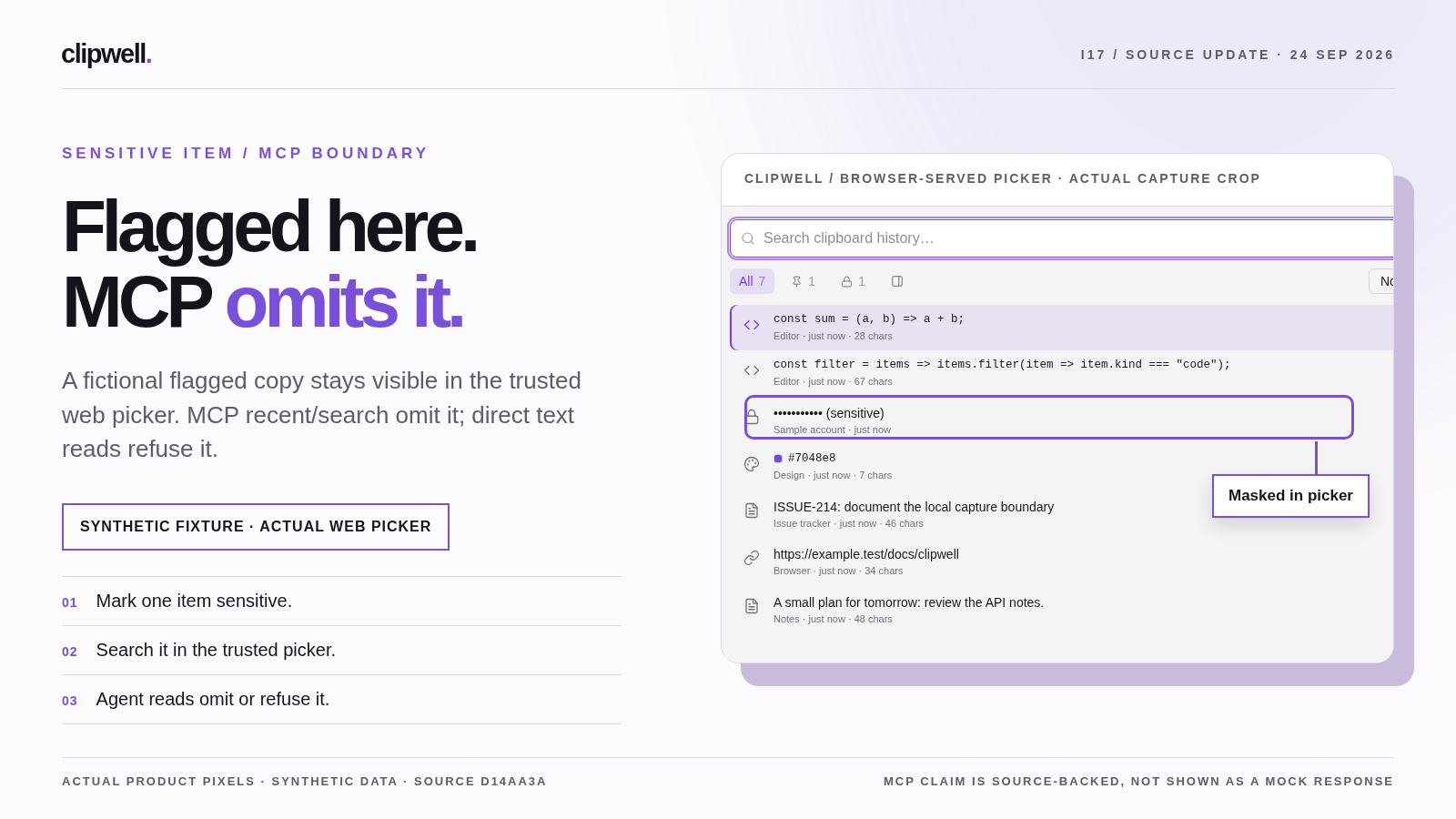
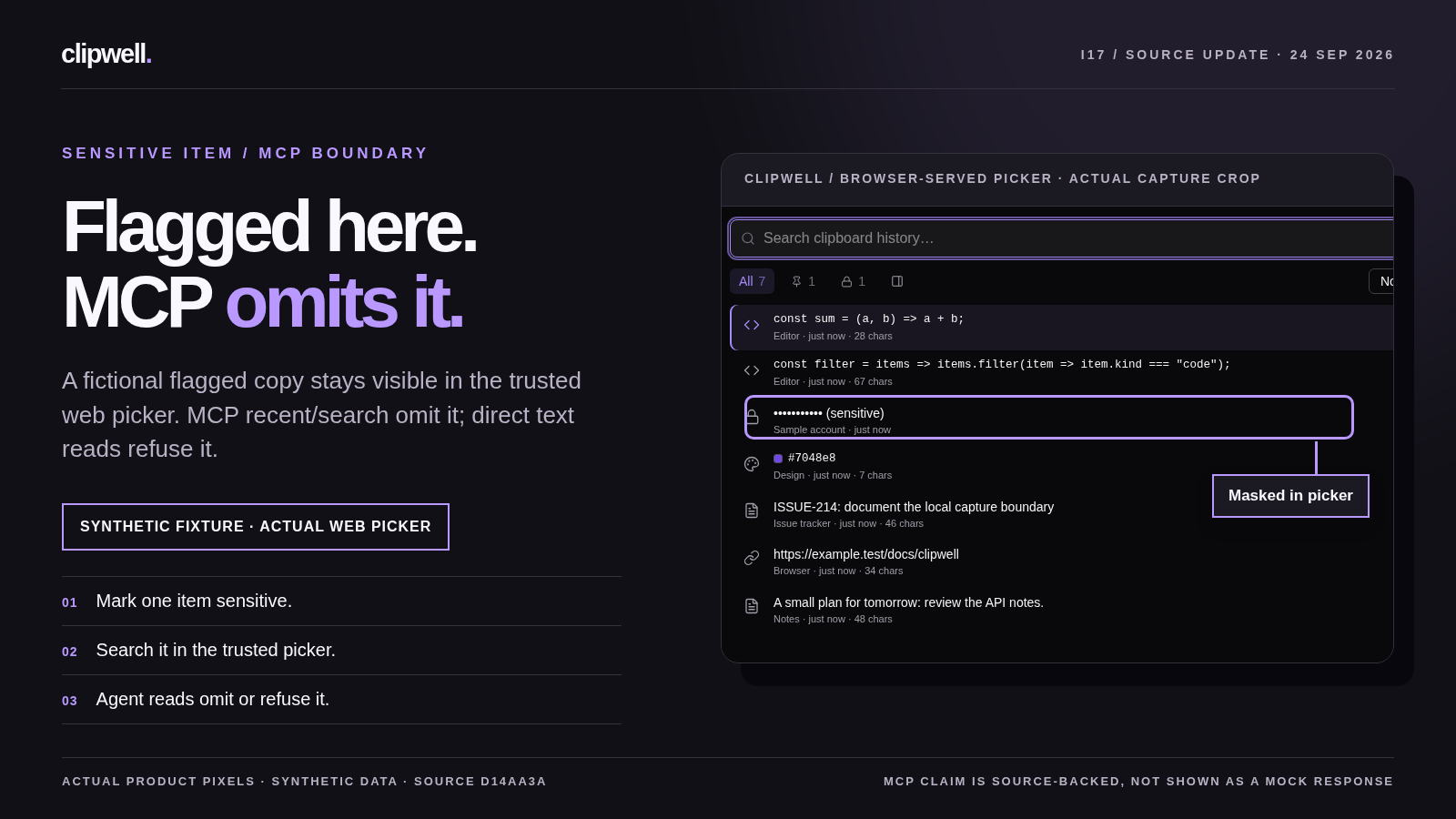
A source-run poster study, composed from the real web picker. The fixture is fictional; the MCP result is described from source, not mocked on screen. 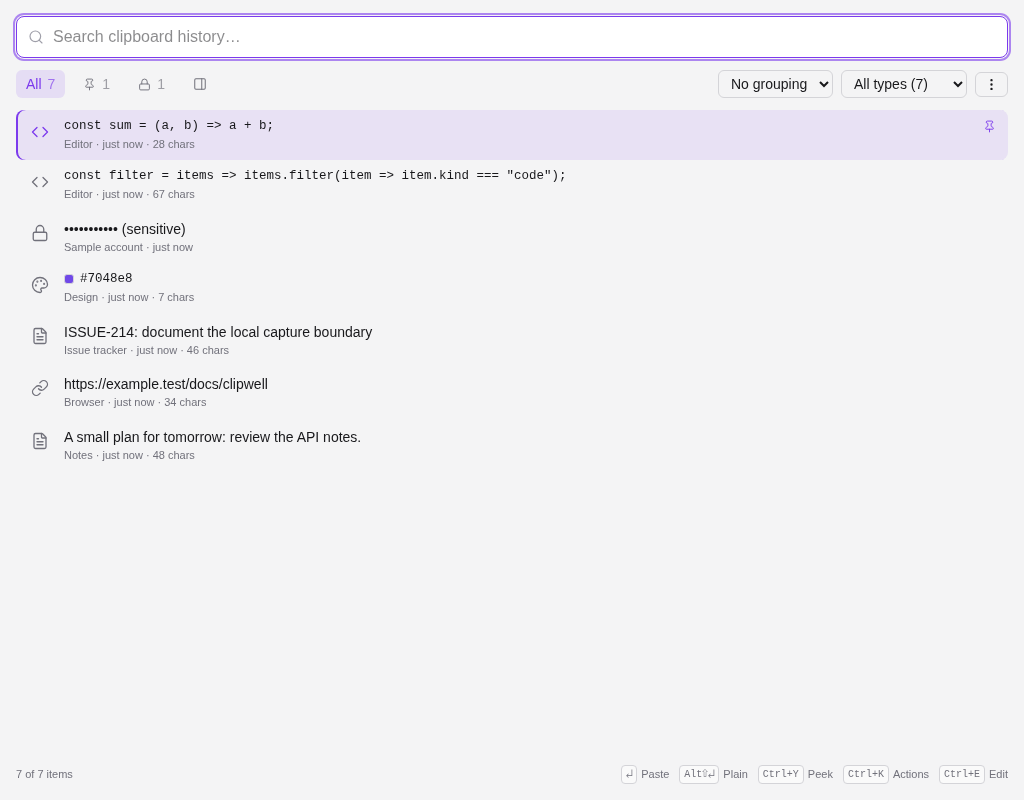
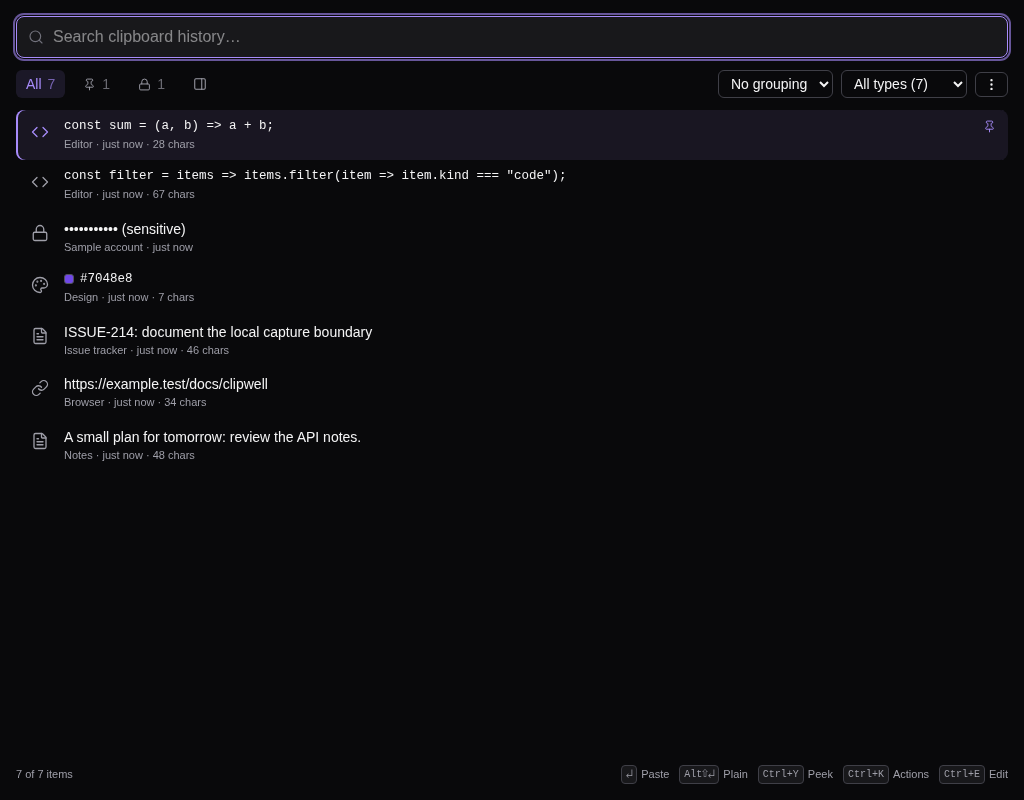
The trusted browser picker still shows the flagged sample row, masked among seven fictional items. 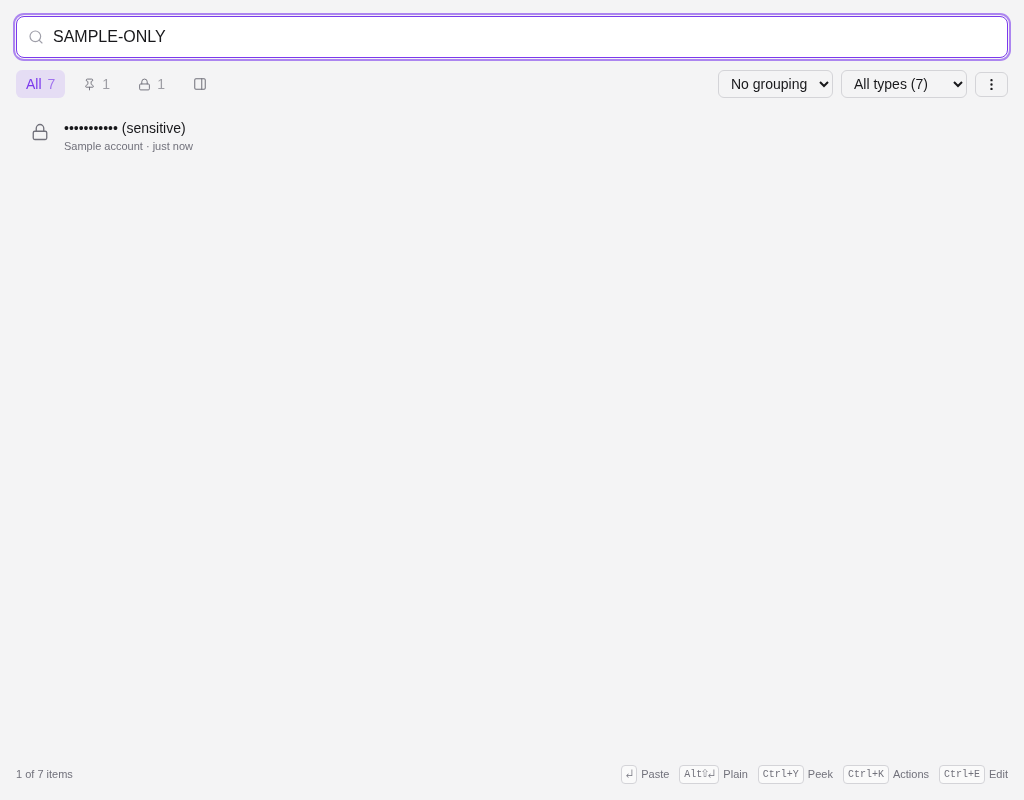
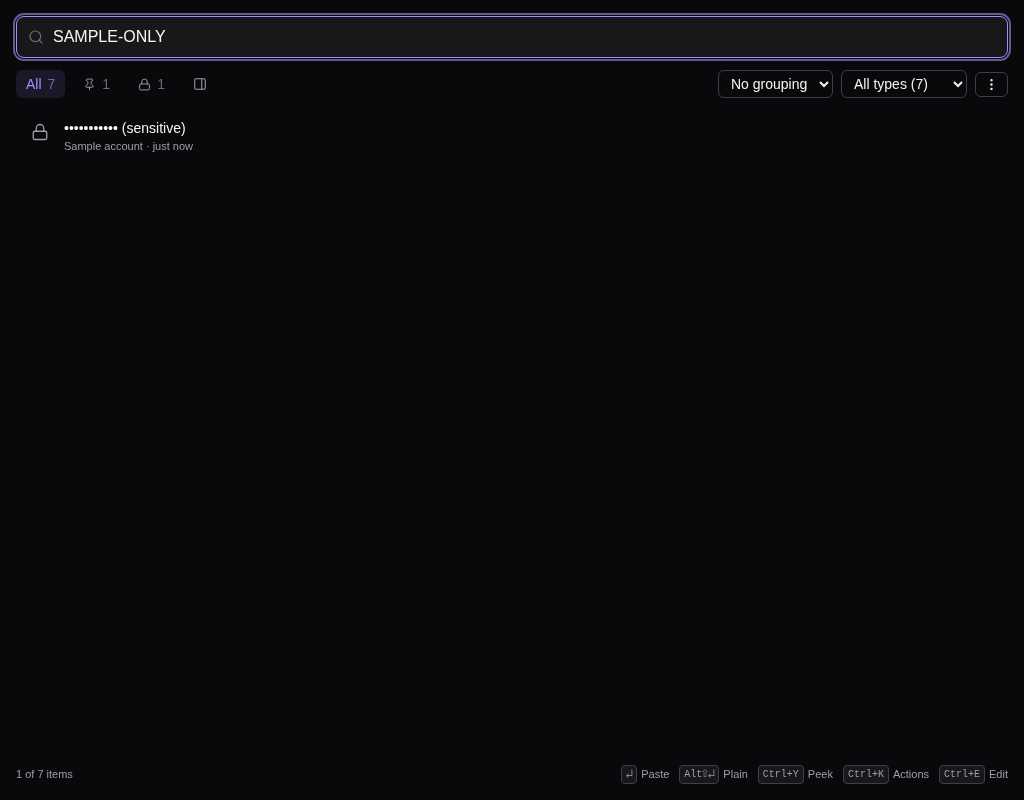
A local picker search still locates the flagged sample item while hiding its text. MCP list/search apply a different, source-backed omission rule. Real, silent web-picker source footage in both themes. It shows local filtering, not an MCP response or a finished narrated release film. Licensed Cartesia narration, Remotion light/dark release films, timed captions, and final film-poster approval remain open. The short source recordings above have no audio and are not presented as the finished changelog film.
-
· changed / added
Both pickers redesigned, plus edit, highlighting, and live counts
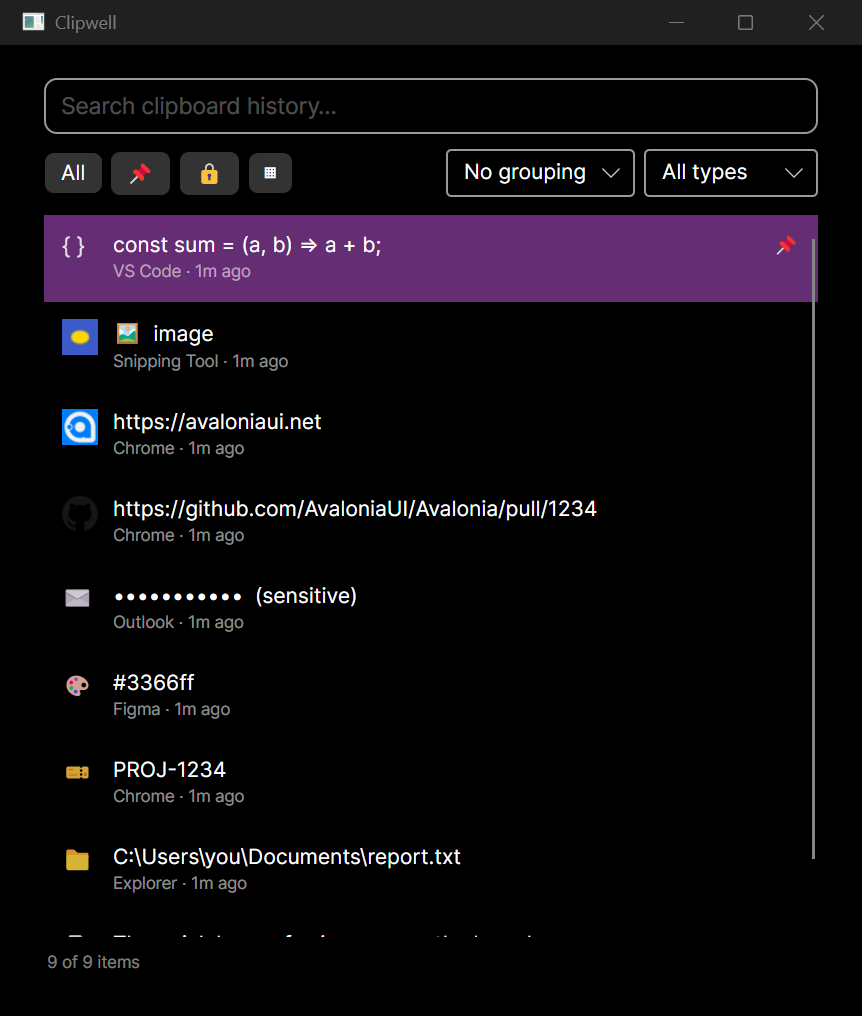
Both pickers dropped their stock look for one shared design language: a zinc neutral ramp with a single violet accent (the product gradient), Lucide icons everywhere emoji used to be, accent-tinted selection with an edge indicator instead of a solid fill, and a deliberate type scale. The native Avalonia picker gets a real token layer (theme dictionaries over Fluent); the web UI gets the same palette as Tailwind theme tokens. Same icons, same anatomy, same accent in both.
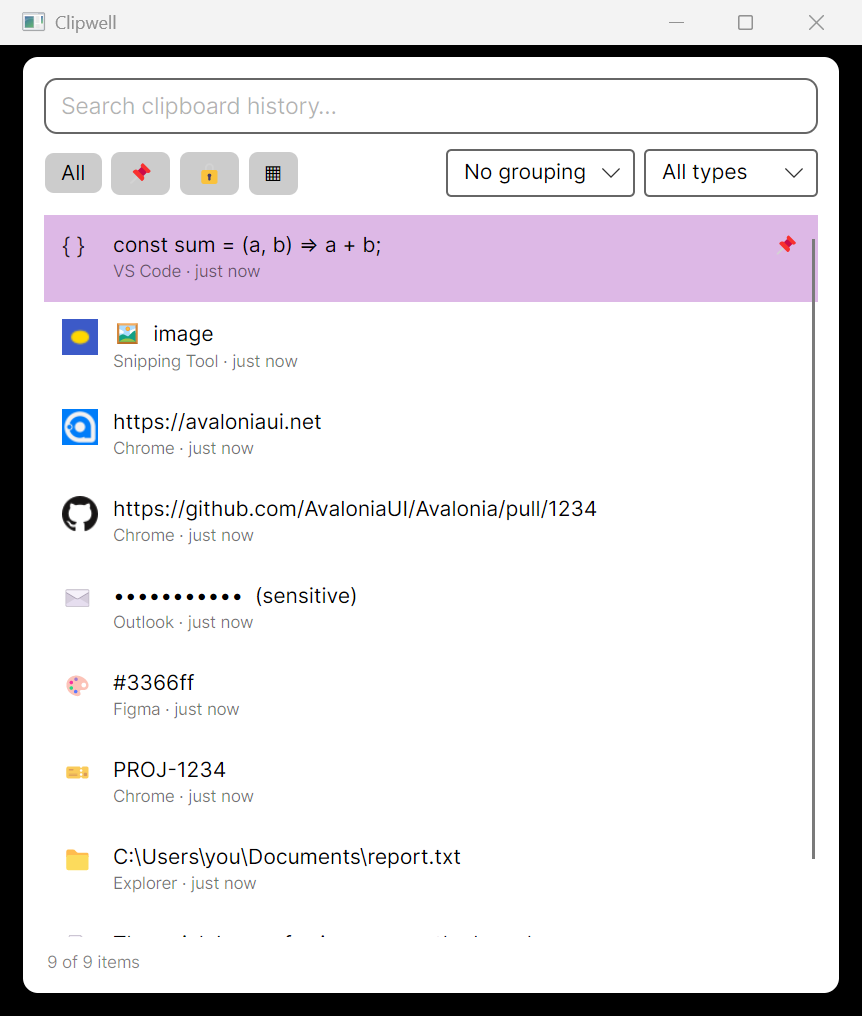
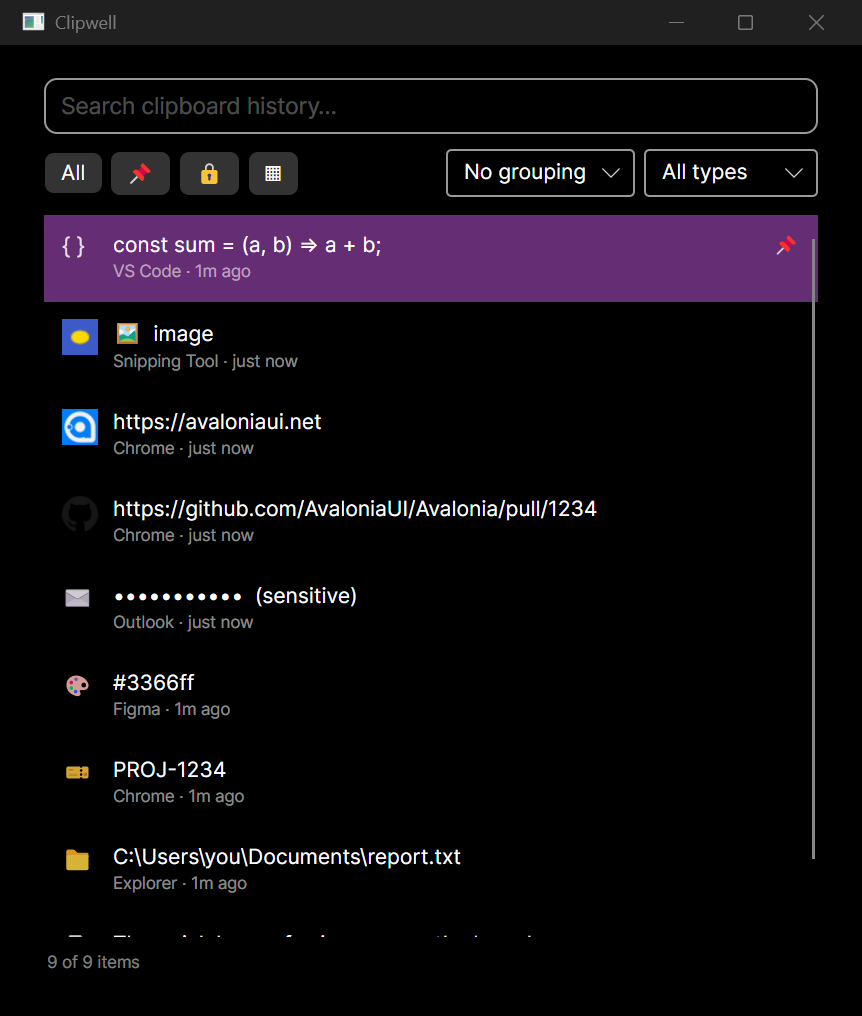
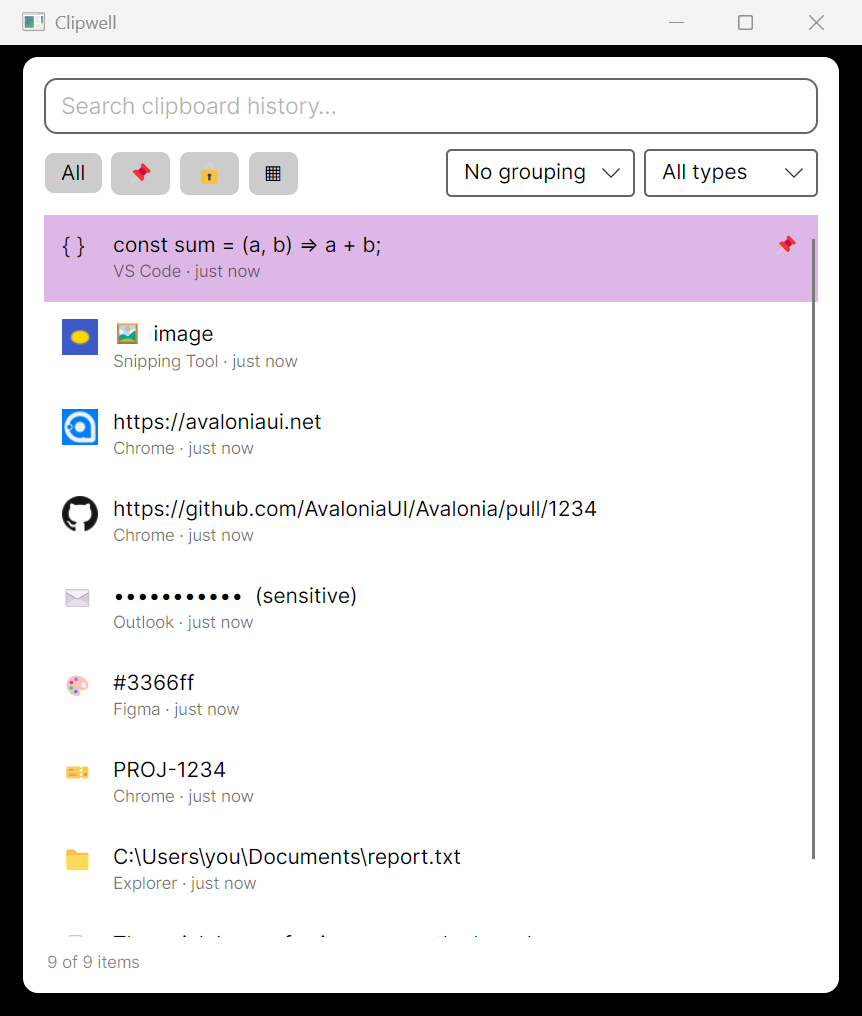
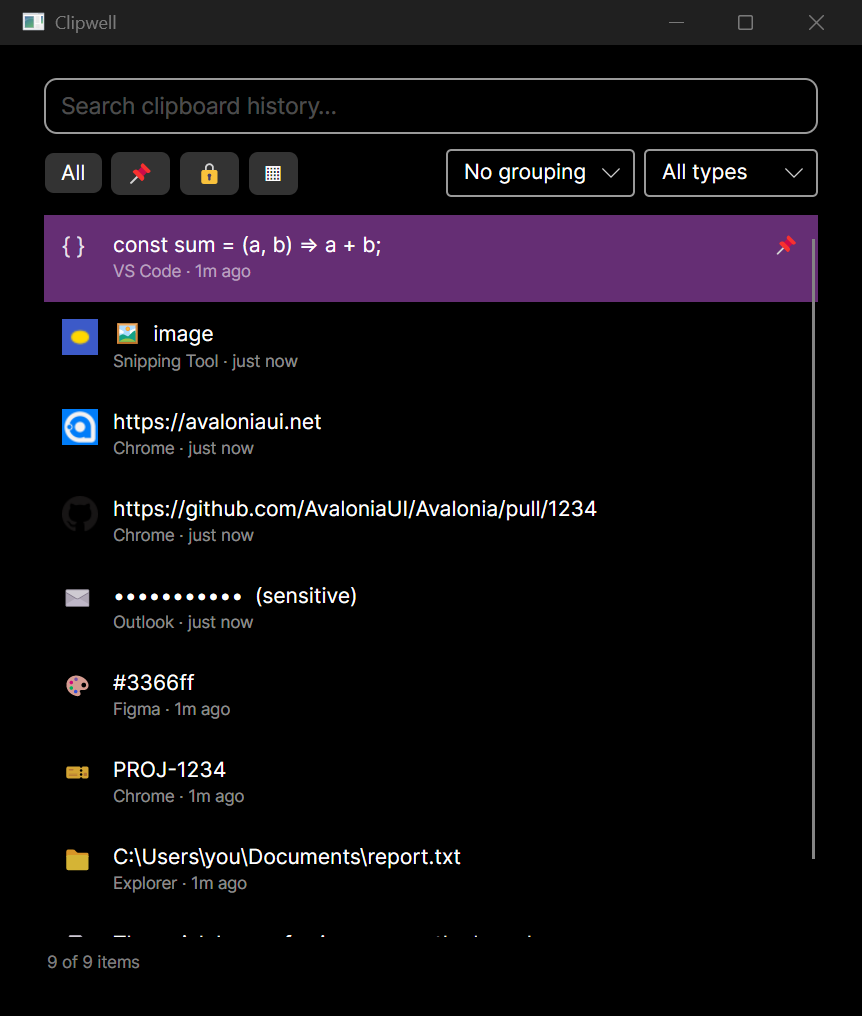 Before After
Drag to compare: stock Fluent + emoji before, the zinc-and-violet system after. The redesign carries a batch of features ported from the original Windows app:
- Search highlighting — every match is marked in the previews, and the
filter pills and kind dropdown show live counts that follow the search
(new
GET /api/clipboard/countsendpoint, scoped to the query). - Edit content (
Ctrl+E) — a non-destructive override stored in the metadata overlay: the original capture is kept, the row shows an edited tag, empty text restores it, and edited text re-classifies its kind. - Paste as plain text (
Alt+Shift+Enter) — and the default paste now restores captured HTML on Windows, so rich-text targets keep formatting. - Offline banner — when the daemon is unreachable the pickers keep the last loaded history, show a Retry banner, and resync automatically on reconnect.
- Richer metadata — character counts, image dimensions (new
imageWidth/imageHeighton the API), color swatches on color items, and monospace previews for code, colors, and paths. - Sensitive toggling moved to
Ctrl+Shift+Lto make room for edit — the same chords the original app used.
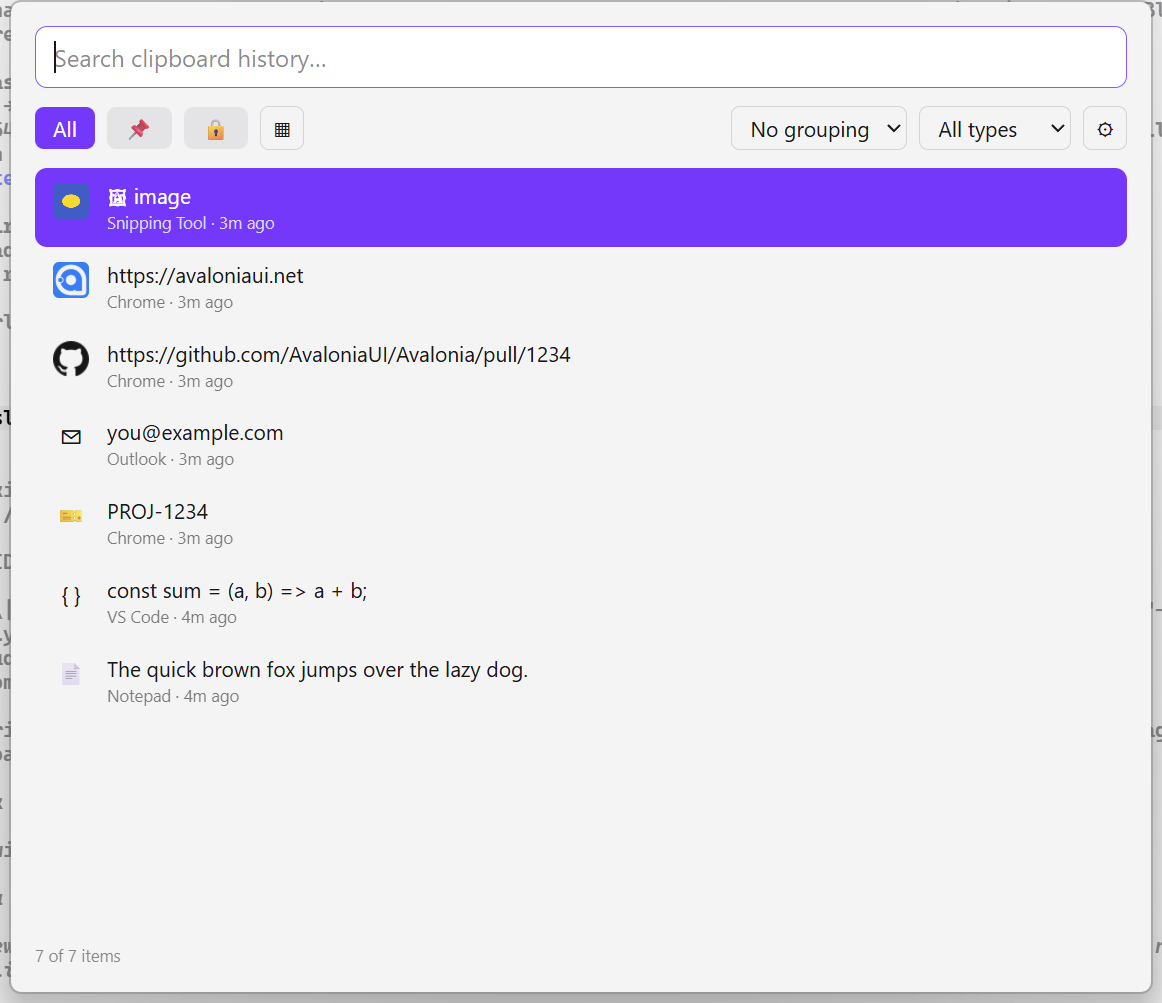
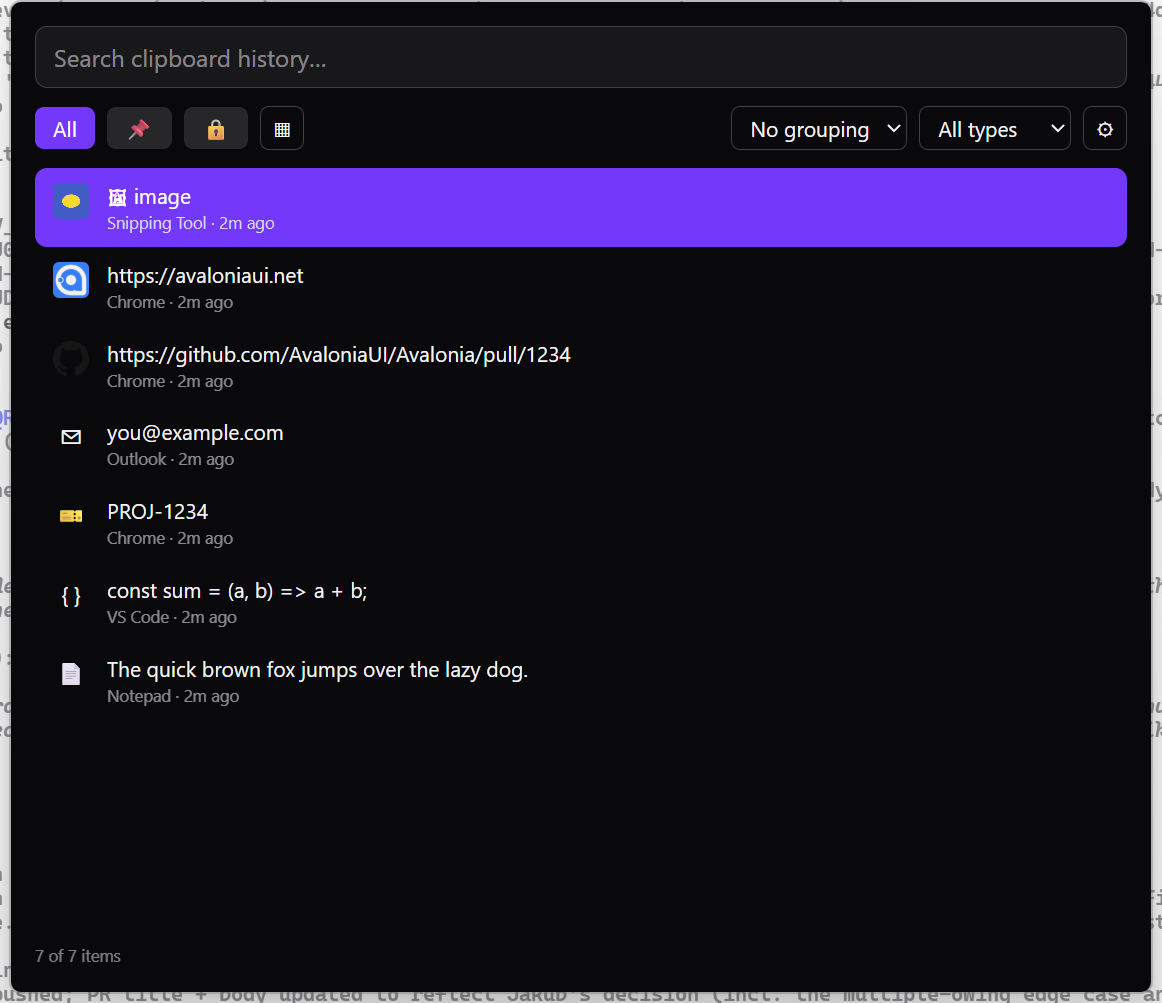
The web UI, same system: count pills, icons, edited tag, and keycap hints in the footer. Decisions are written up in ADR-0008 (design tokens and Lucide iconography) and ADR-0009 (edit overlay and counts endpoints) on the engineering site.
- Search highlighting — every match is marked in the previews, and the
filter pills and kind dropdown show live counts that follow the search
(new
-
· added
Web UI & desktop shell
Clipwell gained a second face.
- Web UI — a second front-end (Solid + Vite + Tailwind v4, Bun + TypeScript), full feature-parity with the native picker, served by the daemon at
127.0.0.1:8787/appover loopback CORS. - Tauri 2 desktop shell — the web UI as a frameless desktop app: global hotkey, tray icon, hide-on-blur, and
enigopaste-back. Starts hidden and hides on blur so it never sits over your work. Verified on Windows (both themes).
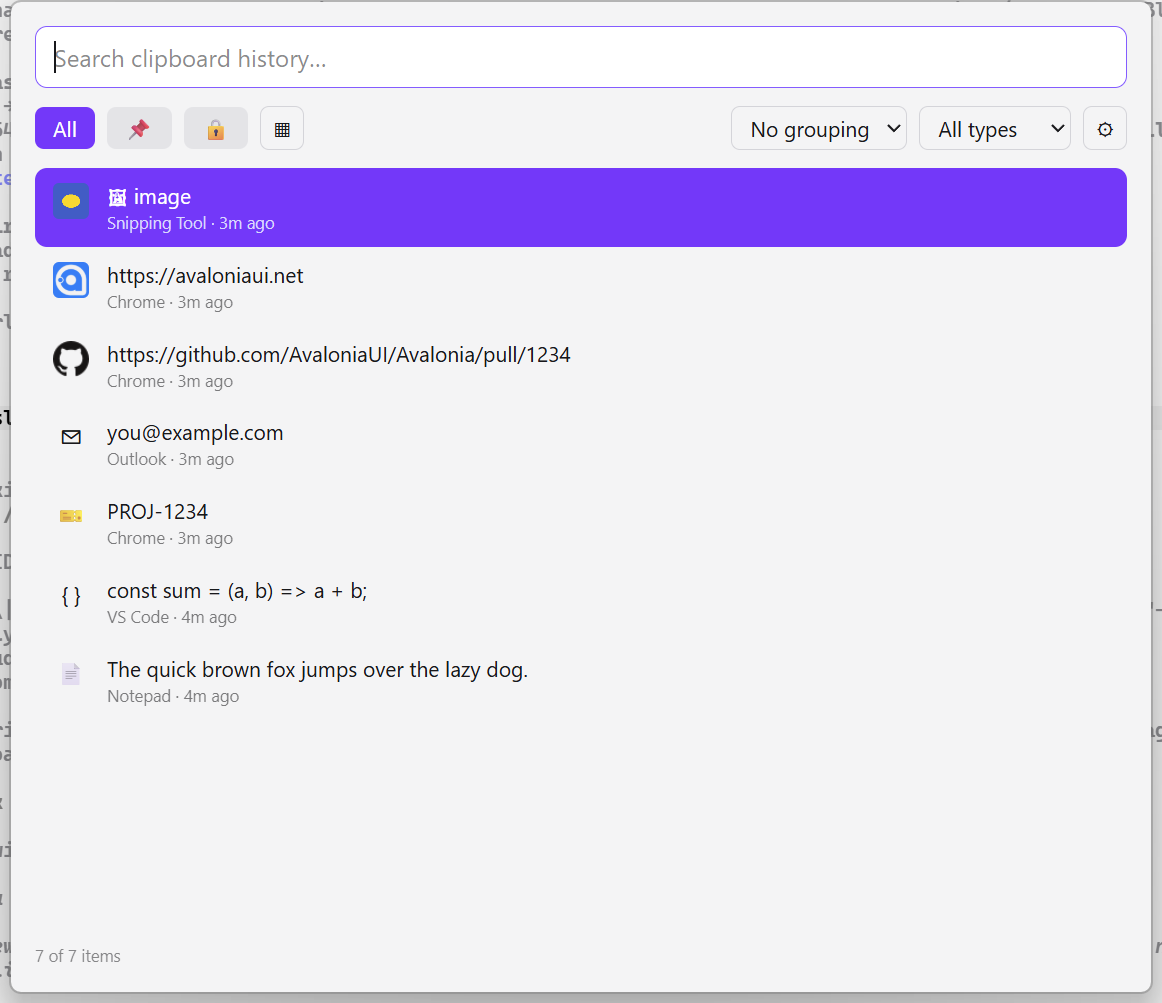
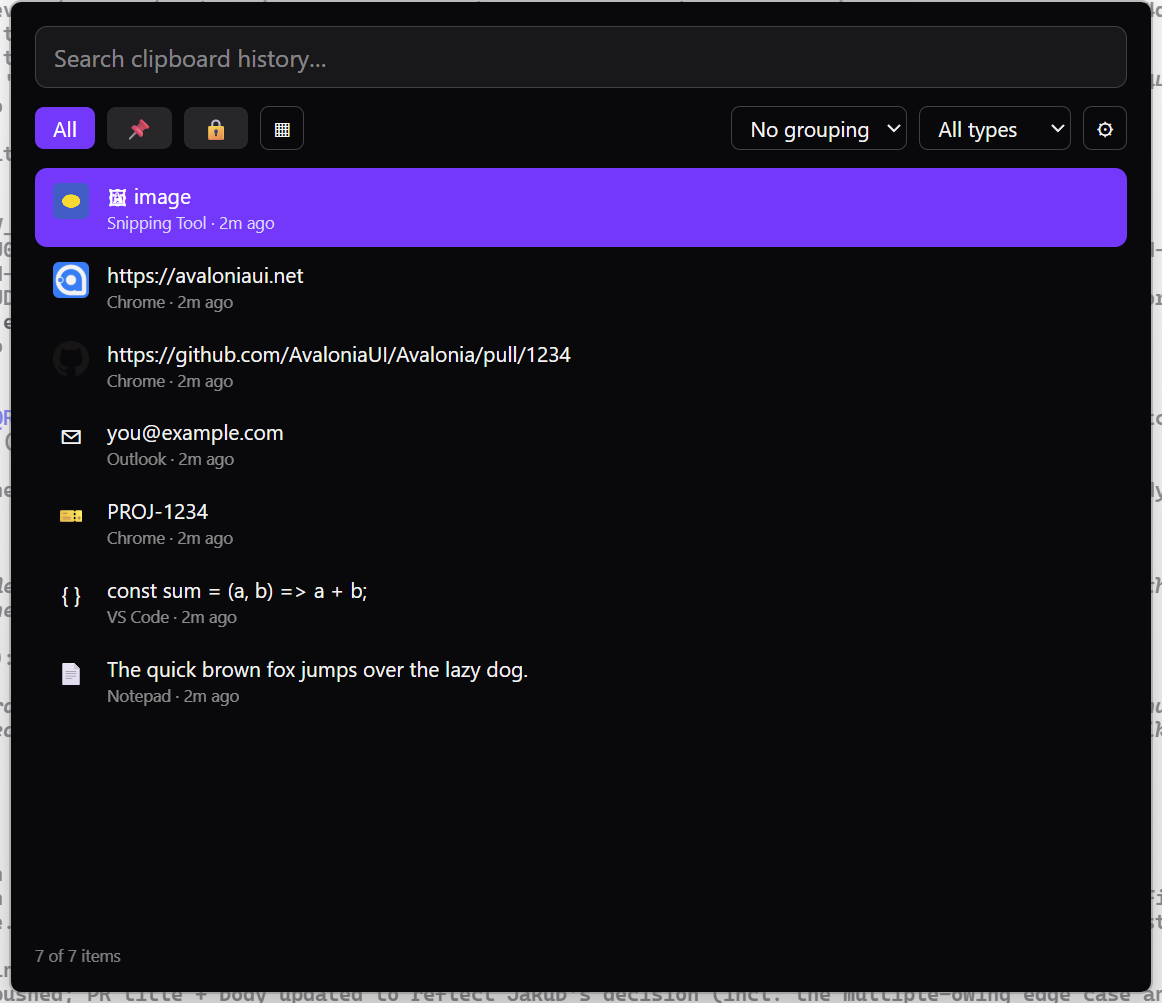
The web UI running as a frameless Tauri desktop app. - Web UI — a second front-end (Solid + Vite + Tailwind v4, Bun + TypeScript), full feature-parity with the native picker, served by the daemon at
-
· added / changed
Picker richness, MCP-over-HTTP, plugins
The picker grew up in one milestone.
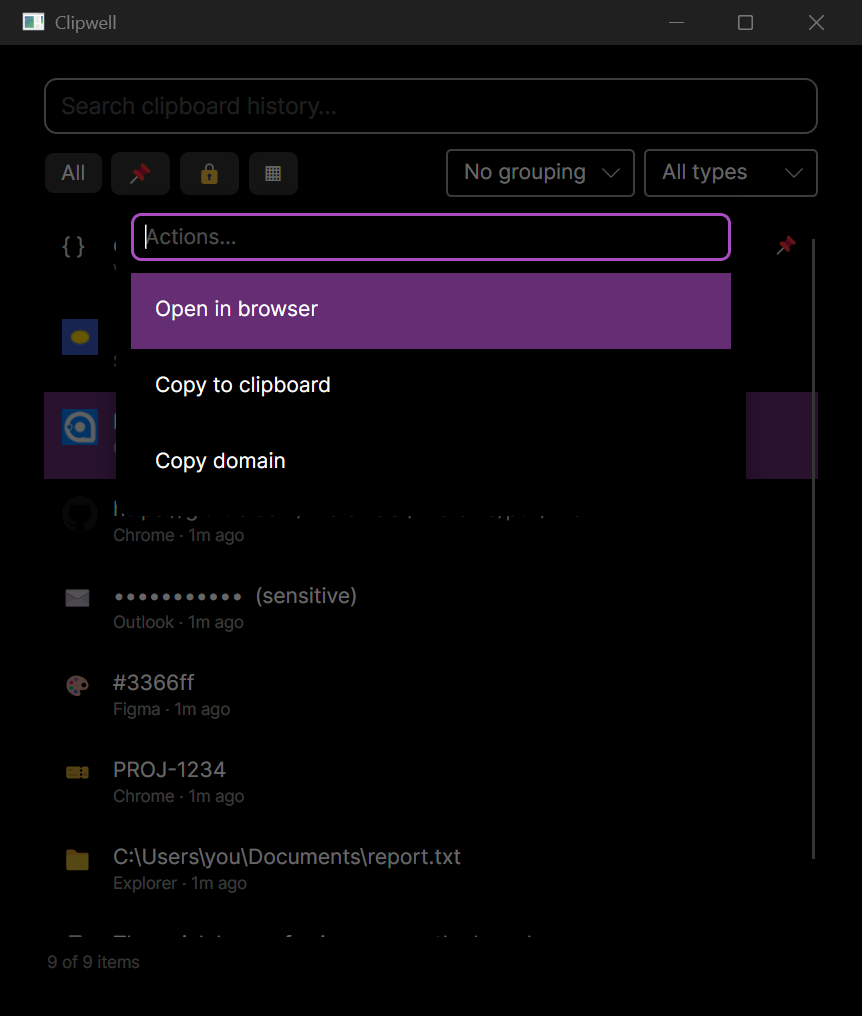
Action palette (Ctrl+K) — content-aware actions for the selected item (open in browser, copy domain, and more) via
IClipAction.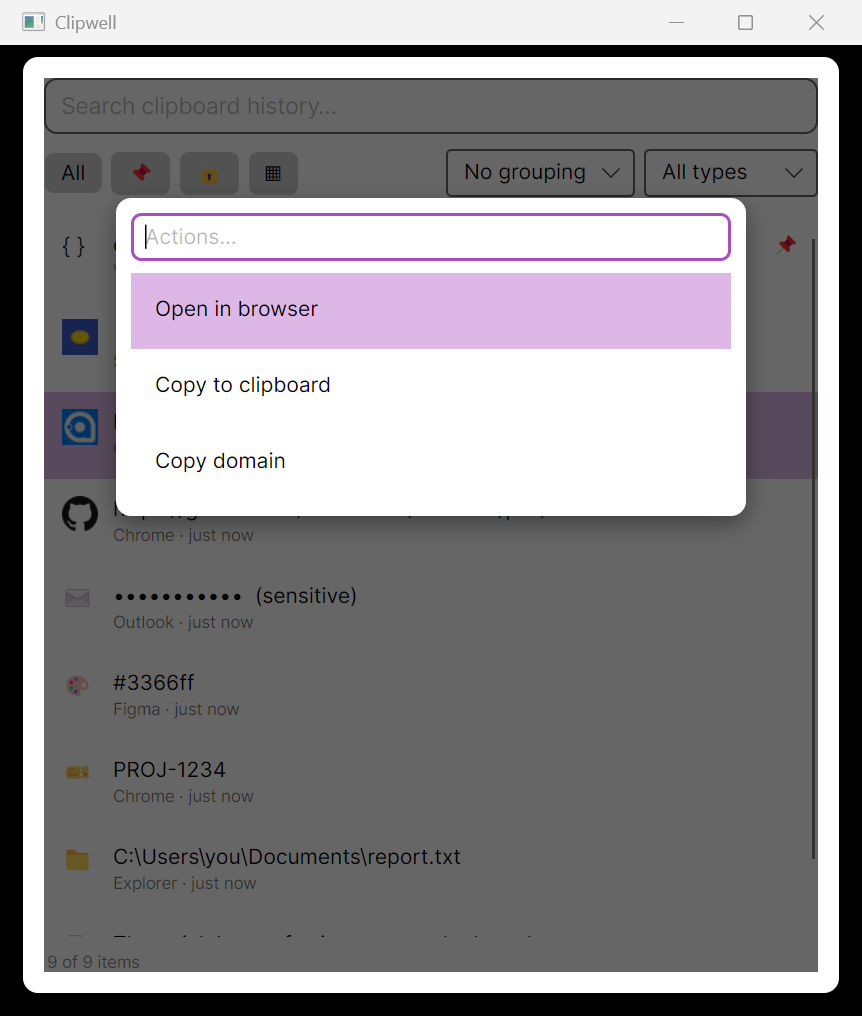
Quick Look (Ctrl+Y) — a fast, full-content preview without leaving the list.
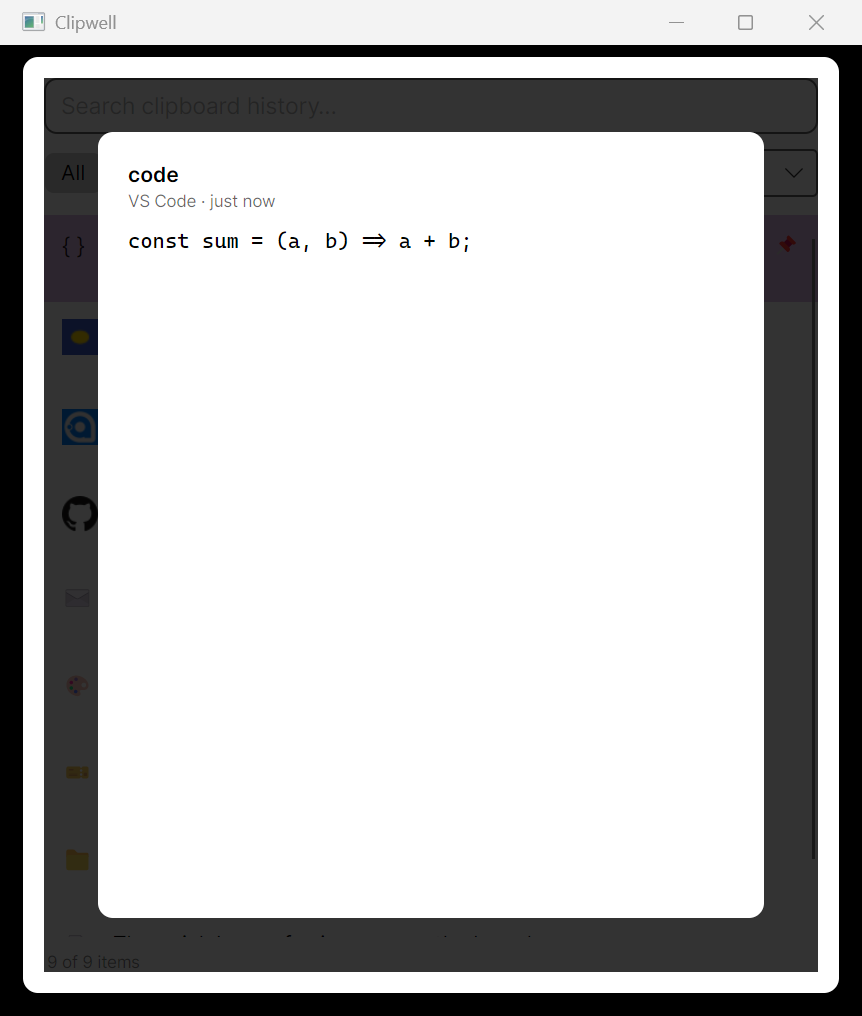
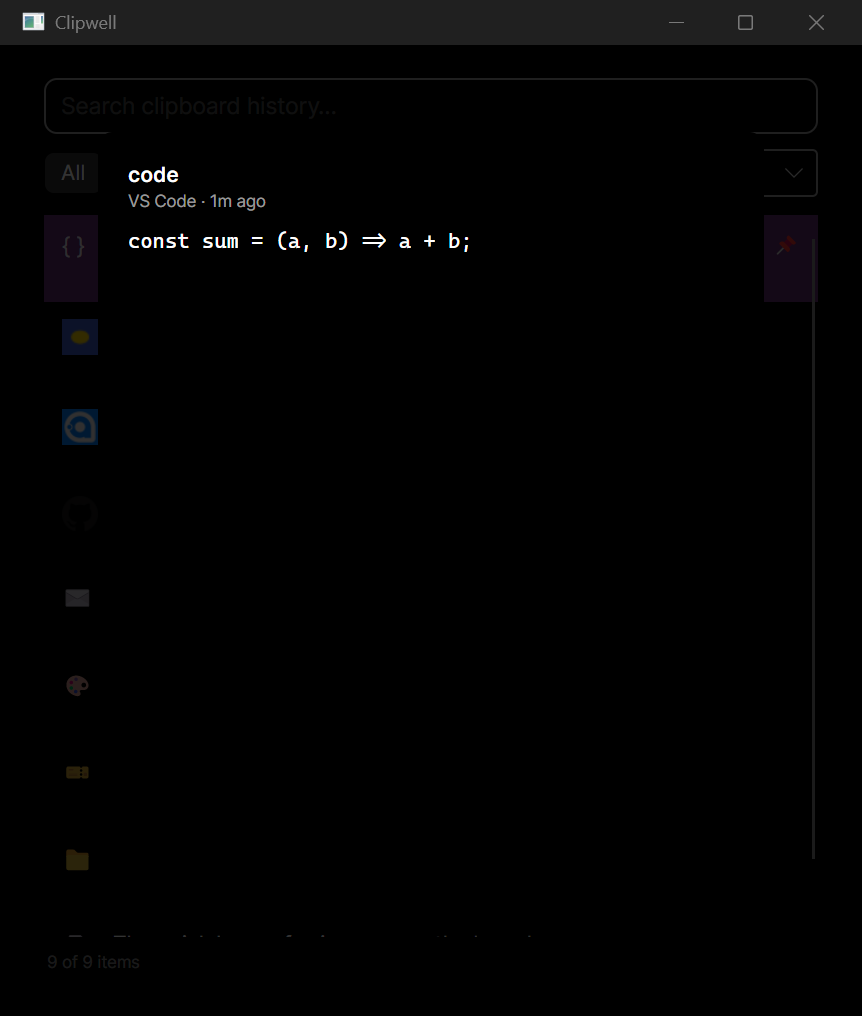
Compact / Detail view modes — Detail adds a live preview pane beside the list.
Group by date or source — inline headers above each day’s / app’s items.
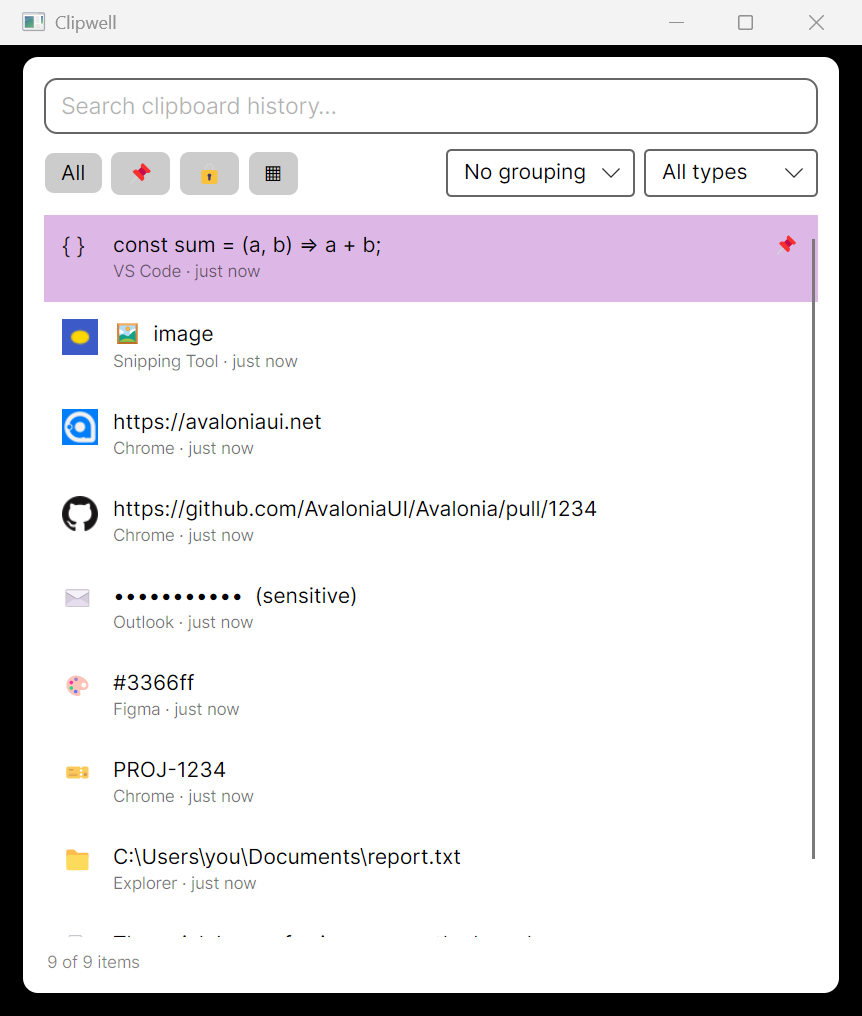
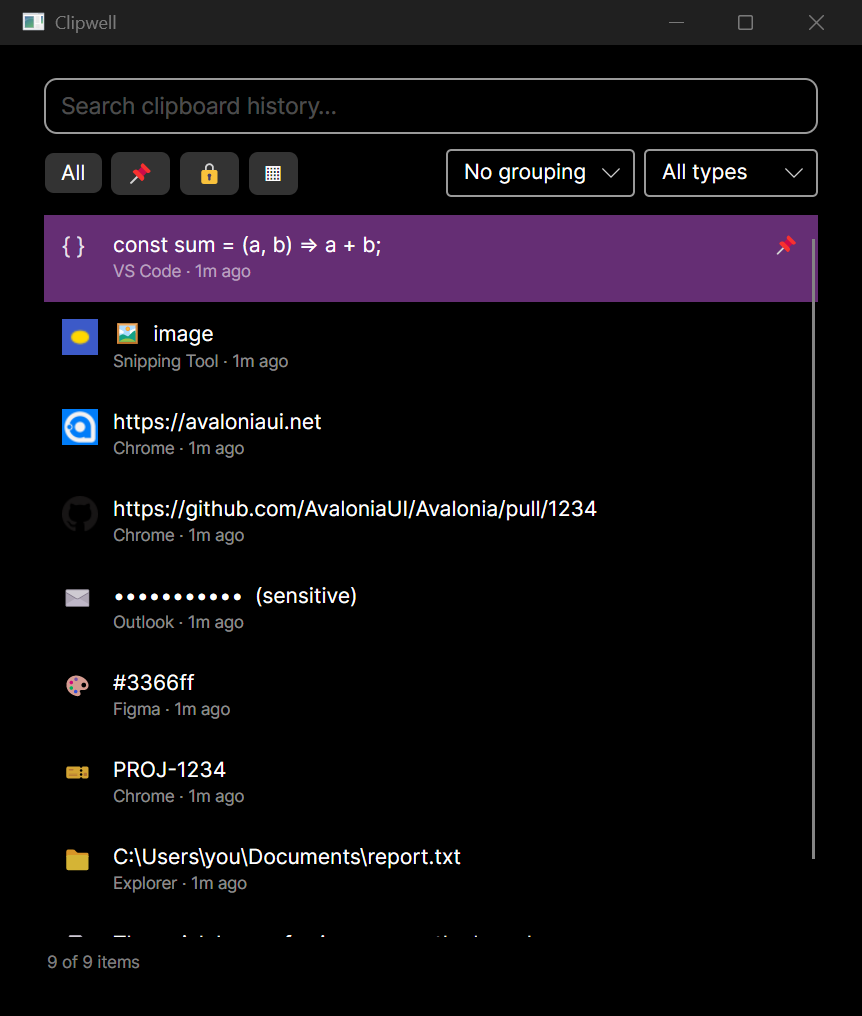
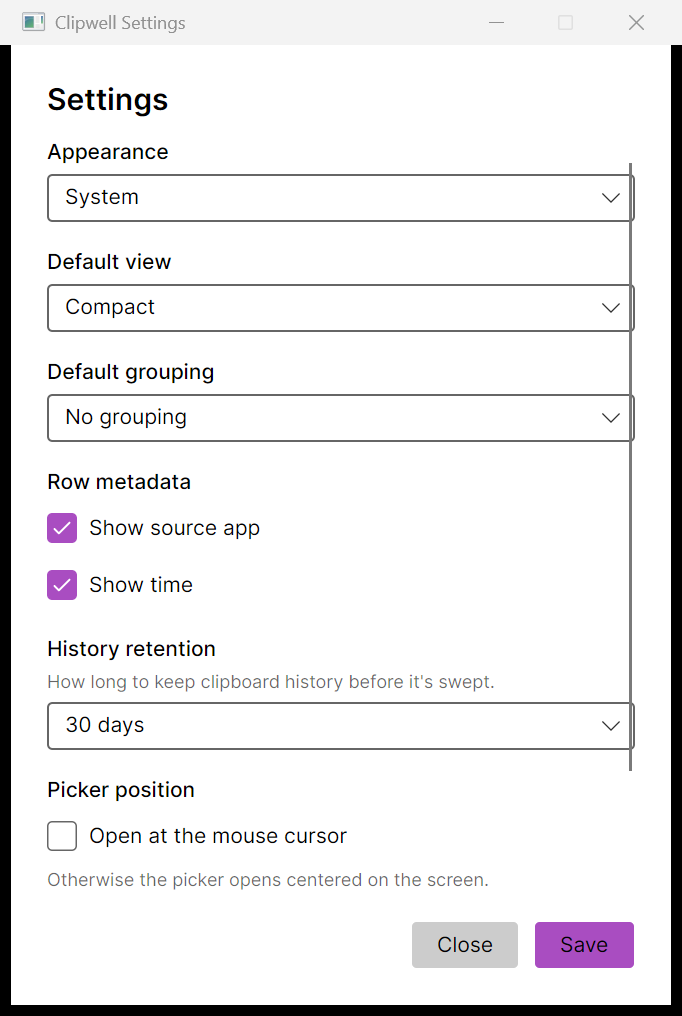
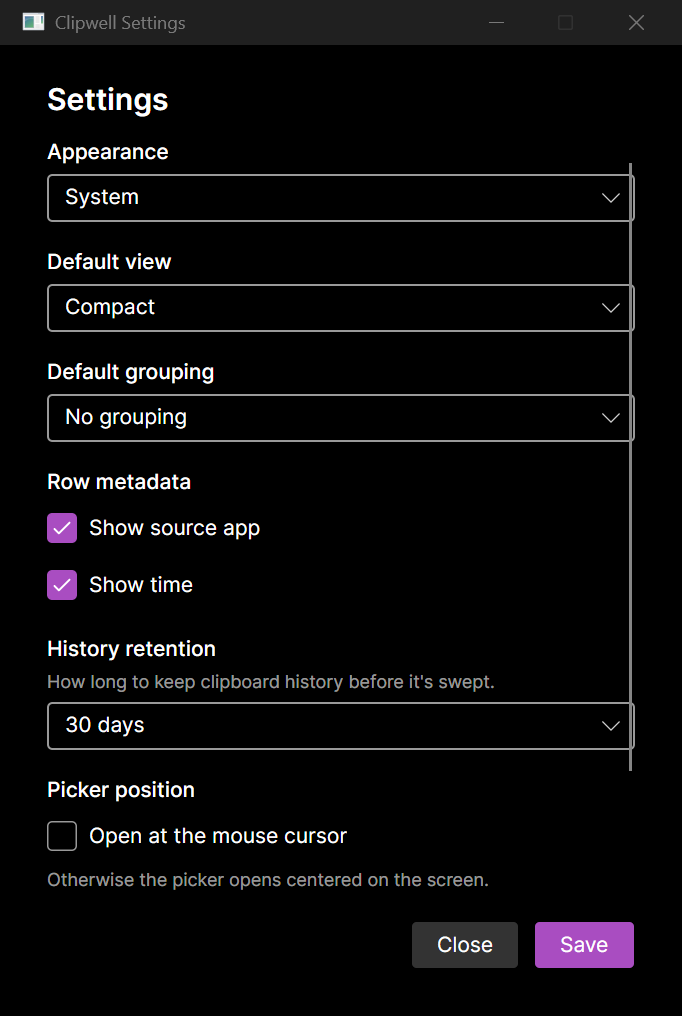
Richer settings — appearance, default view & grouping, row metadata toggles, retention, and picker position — and a diagnostics window with daemon health and real picker show-cycle latencies.
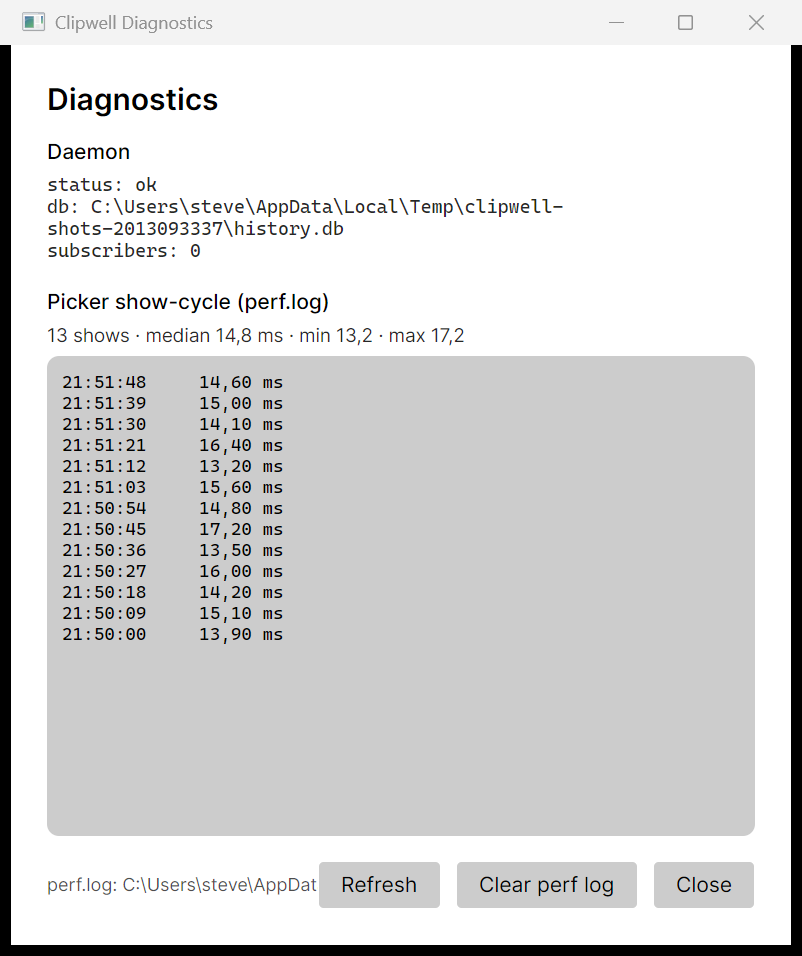
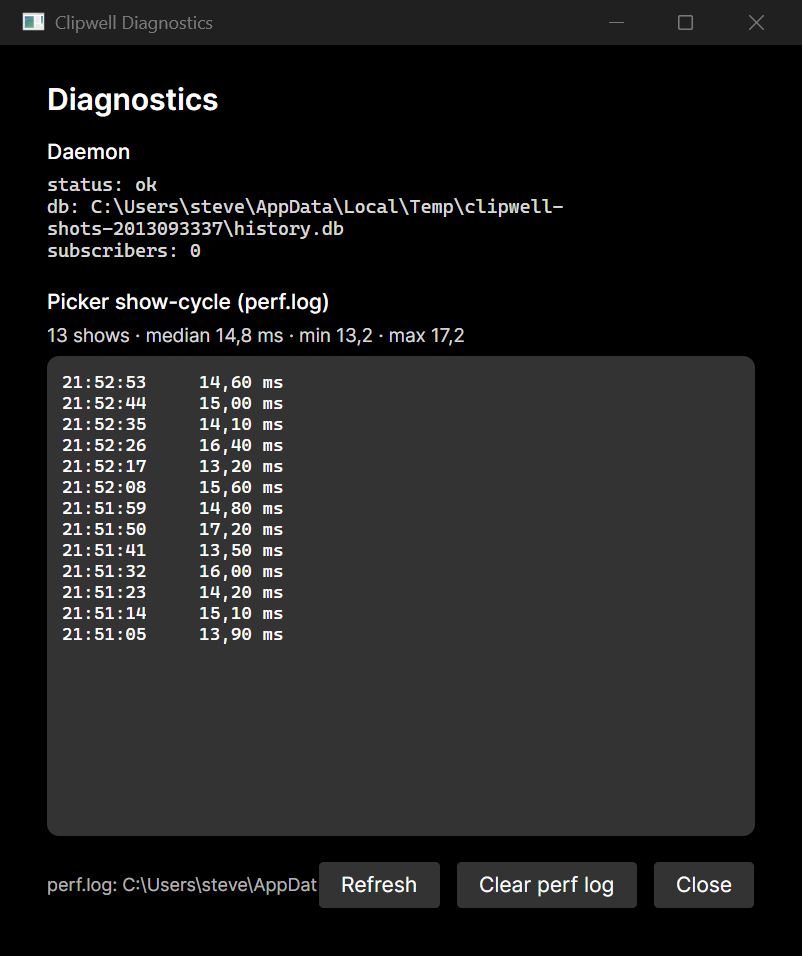
Also in this milestone: a rebindable global hotkey chord, pagination / infinite scroll, source-app capture (records the foreground app at copy time, shown per row), a plugin host for external detectors and actions via
PluginLoader, and MCP over HTTP/SSE — the same four clipboard tools as the stdio server, now served in-process by the daemon.Picker filtering is now live as you type — narrowing the history without leaving the box.
Live filtering as you type. -
· added
Foundations
The Clipwell architecture landed in one piece.
- Clipboard daemon — ASP.NET minimal API (REST + WebSocket/SSE + MCP) over a SQLite history store; one public API for every client.
- Cross-platform capture — Windows (Win32 clipboard listener, text/HTML/image), macOS/Linux (polling
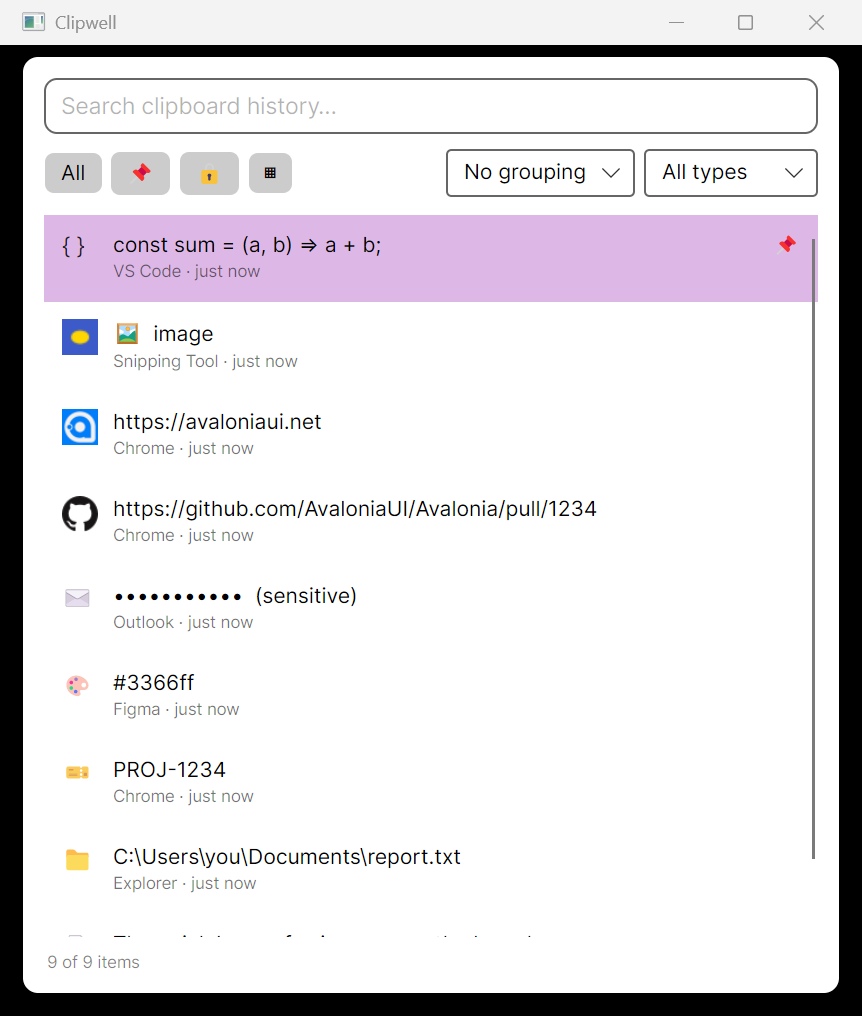
pbpaste/wl-paste/xclip), with a null fallback. - Native picker (Avalonia) — pre-warmed window shown on a global hotkey (~16 ms warm show-cycle), tray icon, single-instance, paste-into-source app, image thumbnails, typed items + detectors (url / github-pr / email / jira / color / path / code / image).
- Pin / sensitive / alias metadata and picker type filters.
- Documentation sites — user-facing feature docs and an engineering / ADR site (Fumadocs static export), both light/dark with the OS preference as default.
The native Avalonia picker: search, filter tabs, and typed clipboard items.